To add your rental income, you need to add the T776 form. Start by clicking the Forms button shown in the following screen capture:

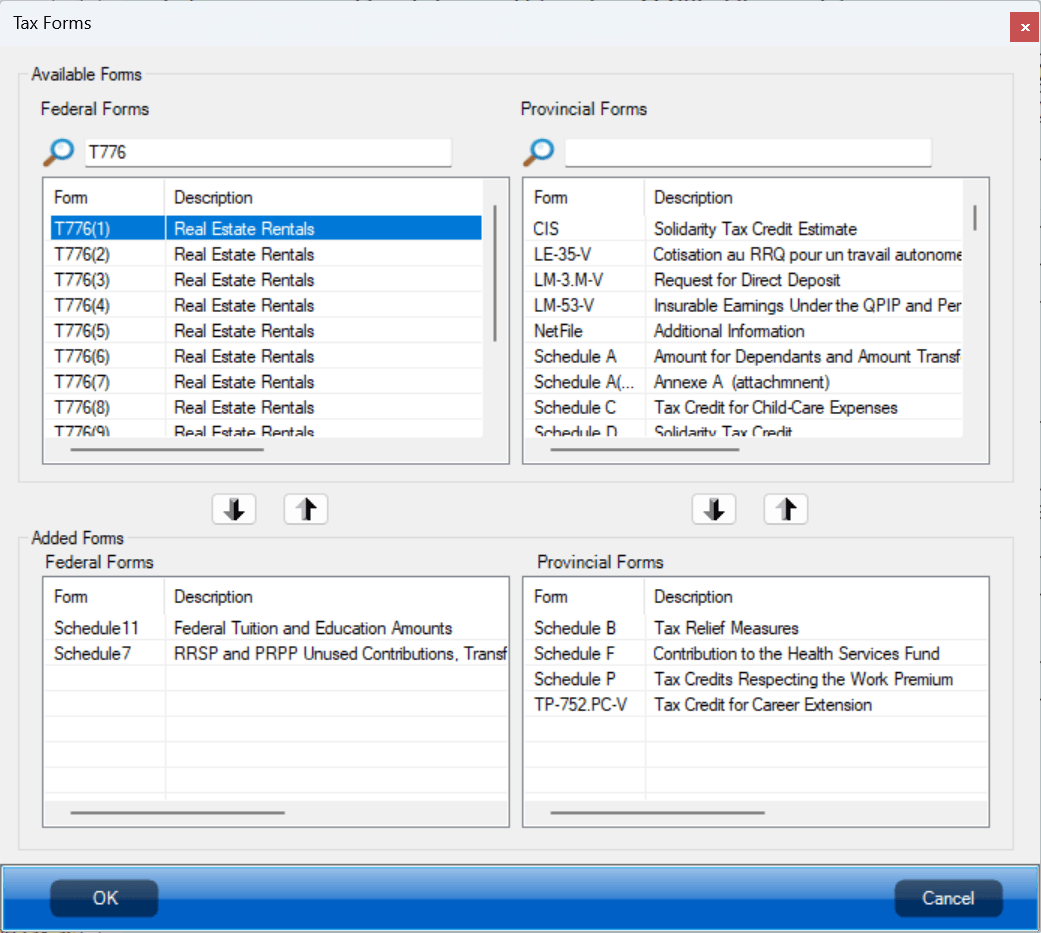
The next window will be displayed. Search for T776 and double-click the first one: T776(1), then click OK.
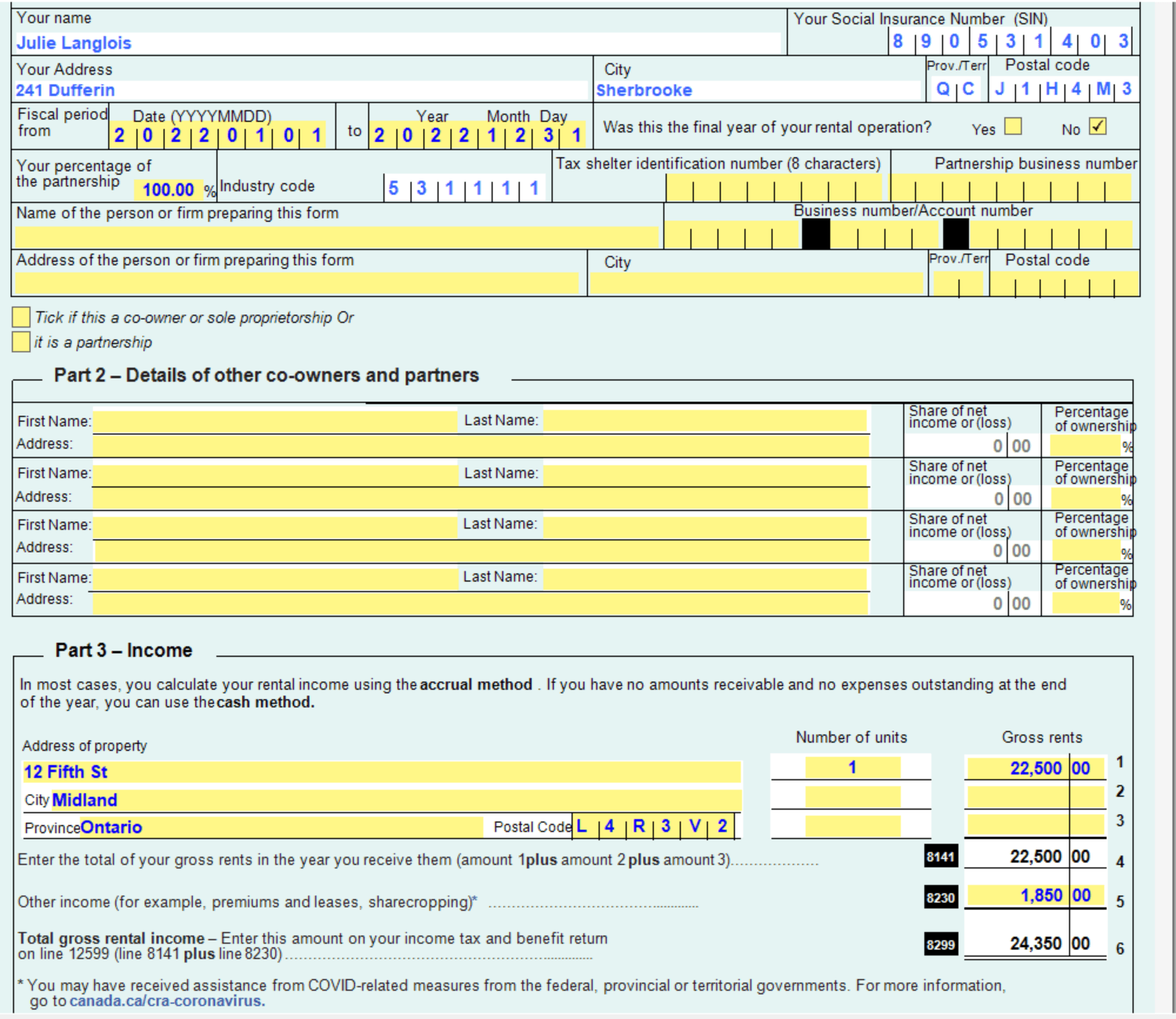
You should see the form open in your window. You can enter your rental income as shown in the following example.
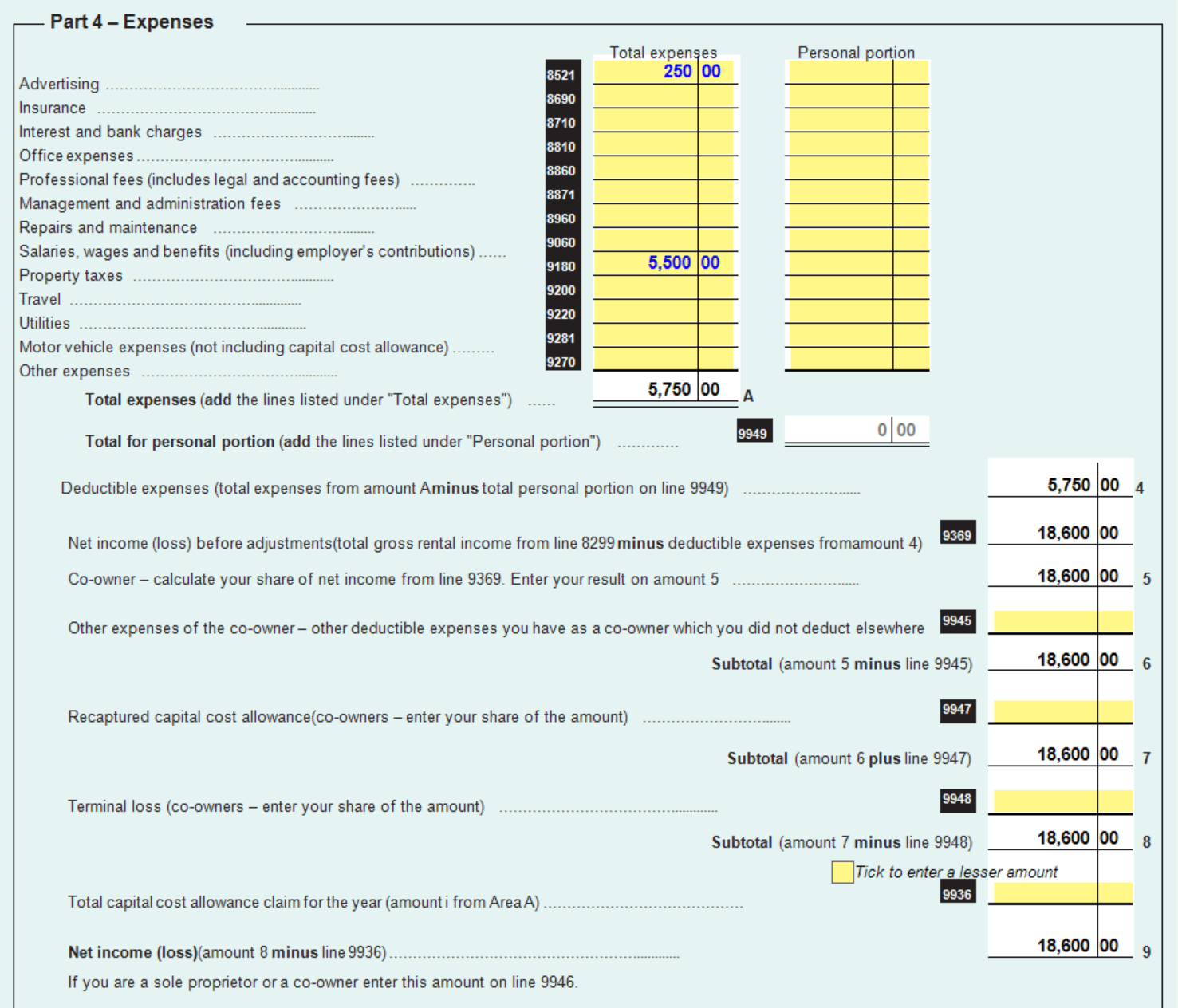
You can also add your rental expenses.
Once you are done, you should be able to see your rental income on your T1 General.
