Keeping StudioTax up to date ensures you have the latest tax forms, bug fixes, and improvements. There are three ways to update.
Option 1: From the Welcome Page
When you open StudioTax, the welcome page includes an Updates button. Click it to check for and install the latest version.
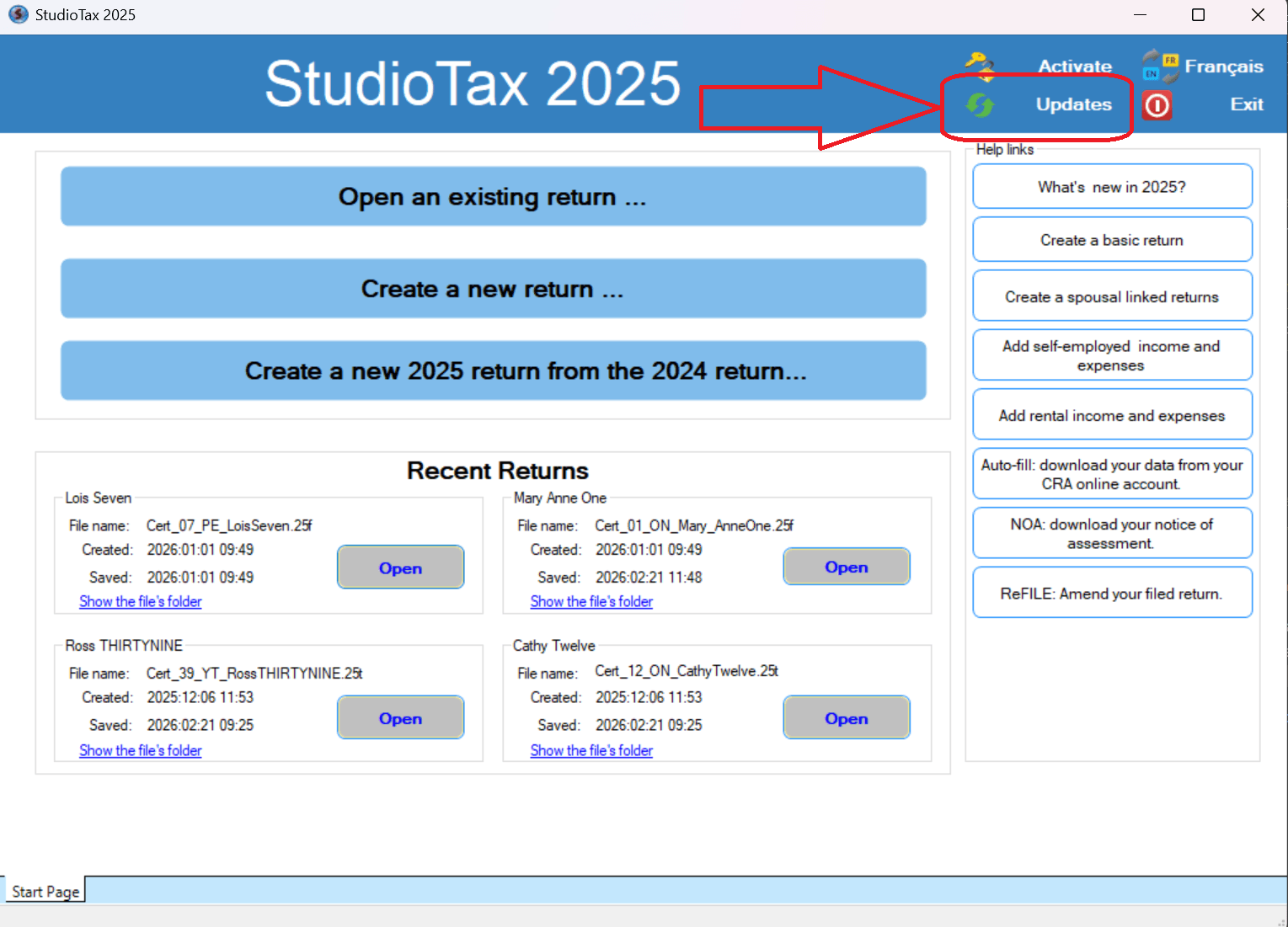
Follow the on-screen wizard to download and install the update.
Option 2: From the Help Menu
If you already have a return open, you can check for updates without going back to the welcome page.
- In the top menu bar, click Help.
- Select Check for Updates.
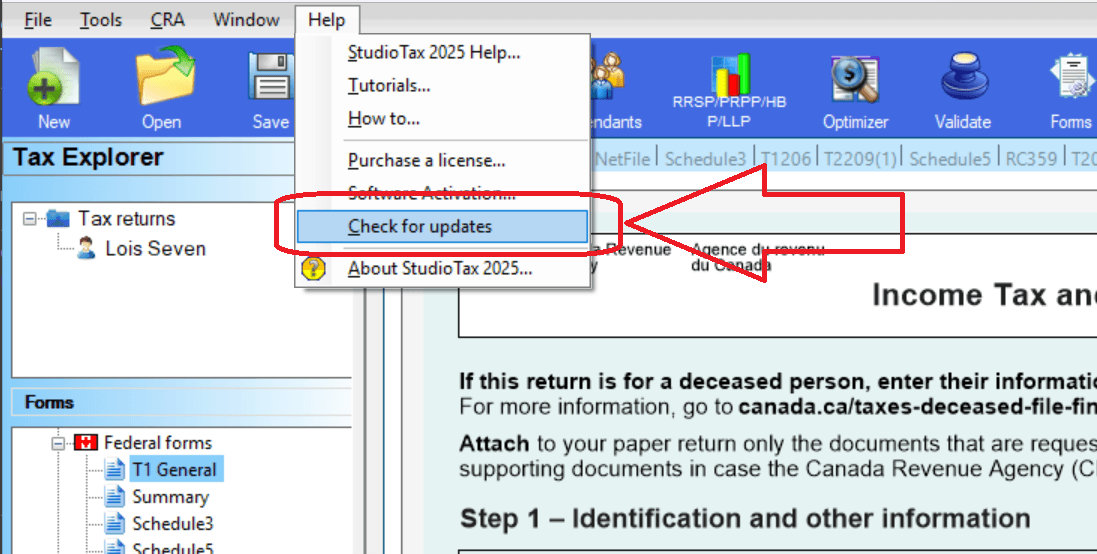
Follow the on-screen wizard to download and install the update.
Option 3: Uninstall and Reinstall
If the update wizard does not work for any reason, you can always uninstall StudioTax and download a fresh copy from the official website.
Your returns will not be lost. StudioTax stores your tax return files separately from the application itself, so uninstalling and reinstalling will not affect them. See Will I Lose My Returns If I Update or Reinstall StudioTax? for more details.
To reinstall:
- Uninstall StudioTax from Control Panel → Programs → Uninstall a program.
- Download the latest installer from www.studiotax.com .
- Run the installer and follow the prompts.