“Another Installation Is in Progress” Error
If you are seeing the error message:
Another installation is in progress and must be completed before installing another version
it means the Windows Installer service on your computer was interrupted in the middle of a previous installation. Until the service is restarted, Windows will not let you install any new program — including StudioTax.
The fix is simple: restart the Windows Installer service.
How to Restart the Windows Installer Service
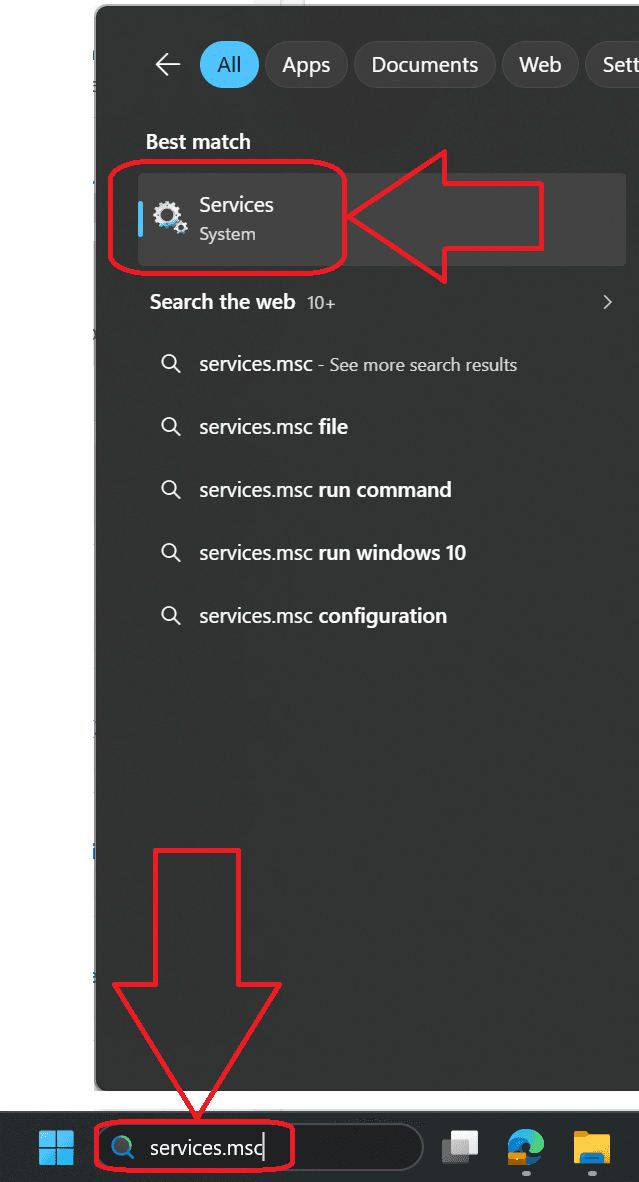
- Press the Windows key, type services.msc in the search box, and press Enter.
- In the Services window, scroll down and locate Windows Installer in the list.
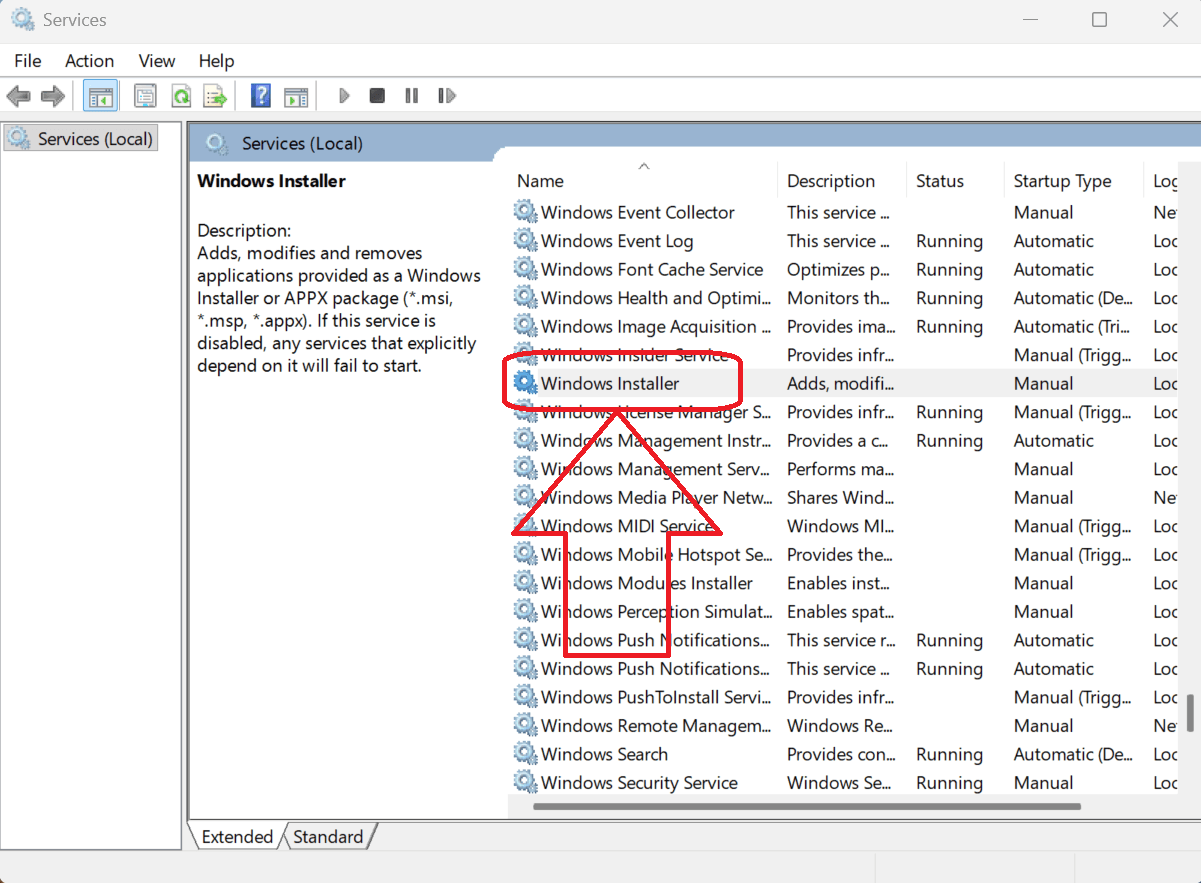
- Right-click Windows Installer and click Stop. (If Stop is greyed out, skip to the next step.)
- Right-click Windows Installer again and click Start.
Once the service has restarted, close the Services window and run the StudioTax installer again. The error should no longer appear.
Tip: If the problem persists, restart your computer and try the installation one more time. A reboot clears any lingering installer locks.