The following screen capture describes the main sections of this page:
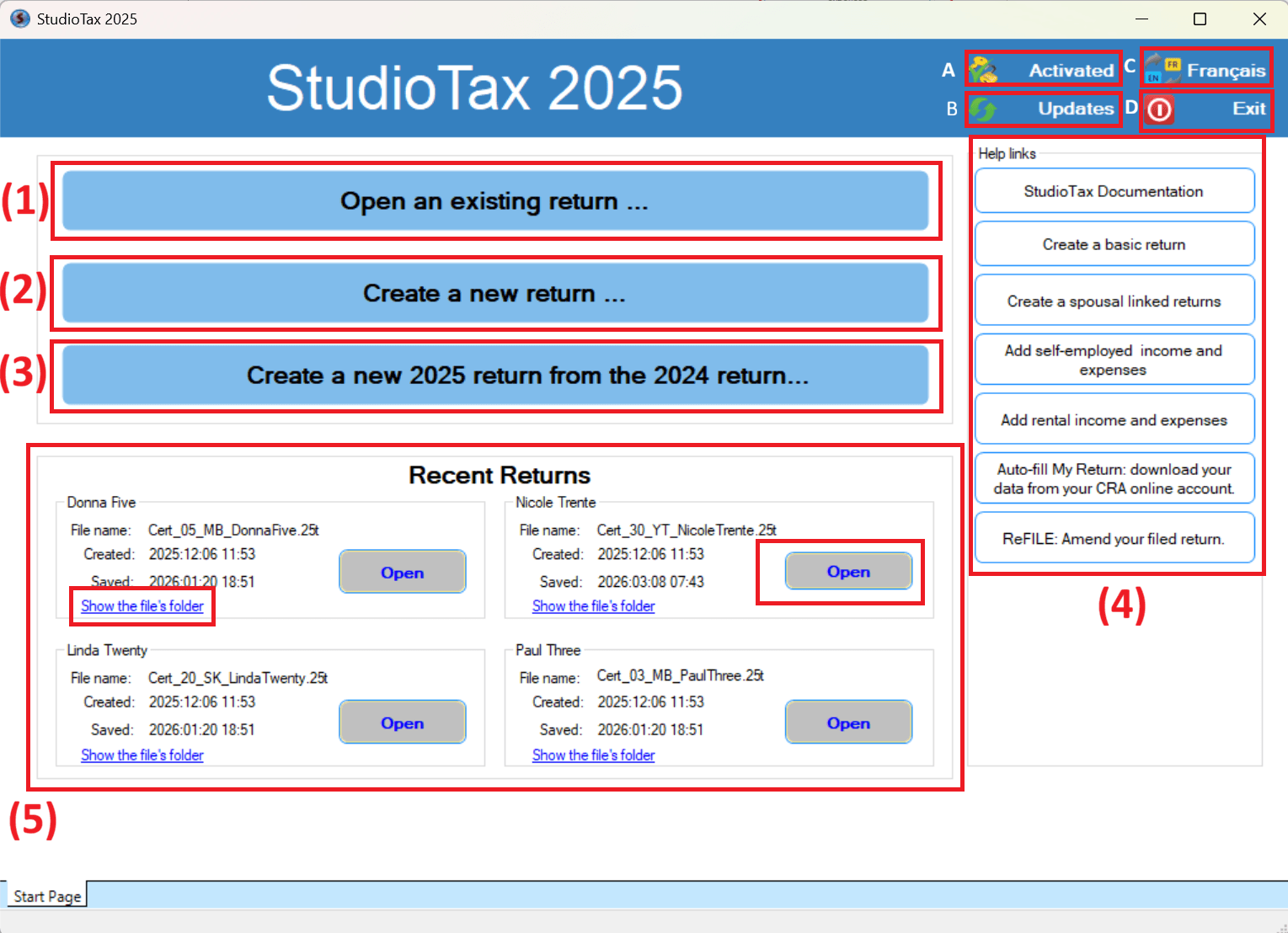
The first section at the Top right:
A- Activate: This button is used to activate your licence.
B- Updates: This button looks for new updates of Studio tax.
C- Francais: You can switch the language using this button.
D- Exit: You can close the software using this button.
The next section is to create/Open a file:
-
Open an existing return: if you have already started your return and saved it on your computer, you can click this option to browse to your file and select the saved file on your computer.
-
Create a new return: this option is used to create a new empty return from scratch.
-
Create a new return from your previous year’s return: this option imports your basic information from last year’s return to create a new return for the current tax year (for example, use your 2024 return to create your 2025 return).
-
Help links: this section is for the documentation and some usefull links to this how to manual.
-
Recent returns: the recently opened returns will be shown under this section. We have added some information about the file, like the file name, a “show the file’s folder” link to help you locate the file on your computer, as well as the creation and last modification date.