Refile
To refile your return, you must use the same software version and make your changes to the same return file (.xxt) that you originally filed.
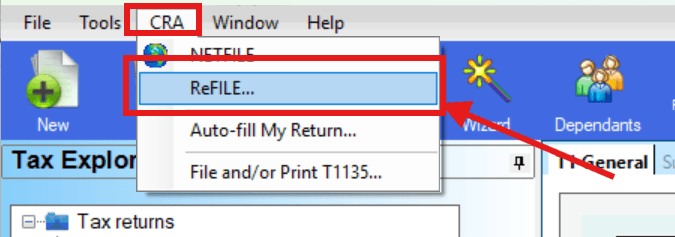
For example, to refile your 2024 return, you must open StudioTax 2024 and make the changes to the same .24t file you previously filed. Once the changes are made, go to CRA → Refile and follow the wizard.
Important: If you did not use StudioTax to file your return, or if you no longer have the original return file, you cannot use the Refile option.
Quebec return: The Refile option above applies to your federal (CRA) return only. If you need to refile your Quebec return, see How to Refile My Quebec Return.
Video Tutorial
You can also follow this video: