Schedule 8 - Canada Pension Plan Contributions and Overpayment
To add Schedule 8 to your return, use the Forms tool just like any other form.
Common question: Entering the number of months at line 50372 does not stop CPP contributions
A common question we receive looks like this:
I am trying to enter the number of months on line 50372, but when I enter it the value is not saving and the software is still adding a CPP amount on the return.
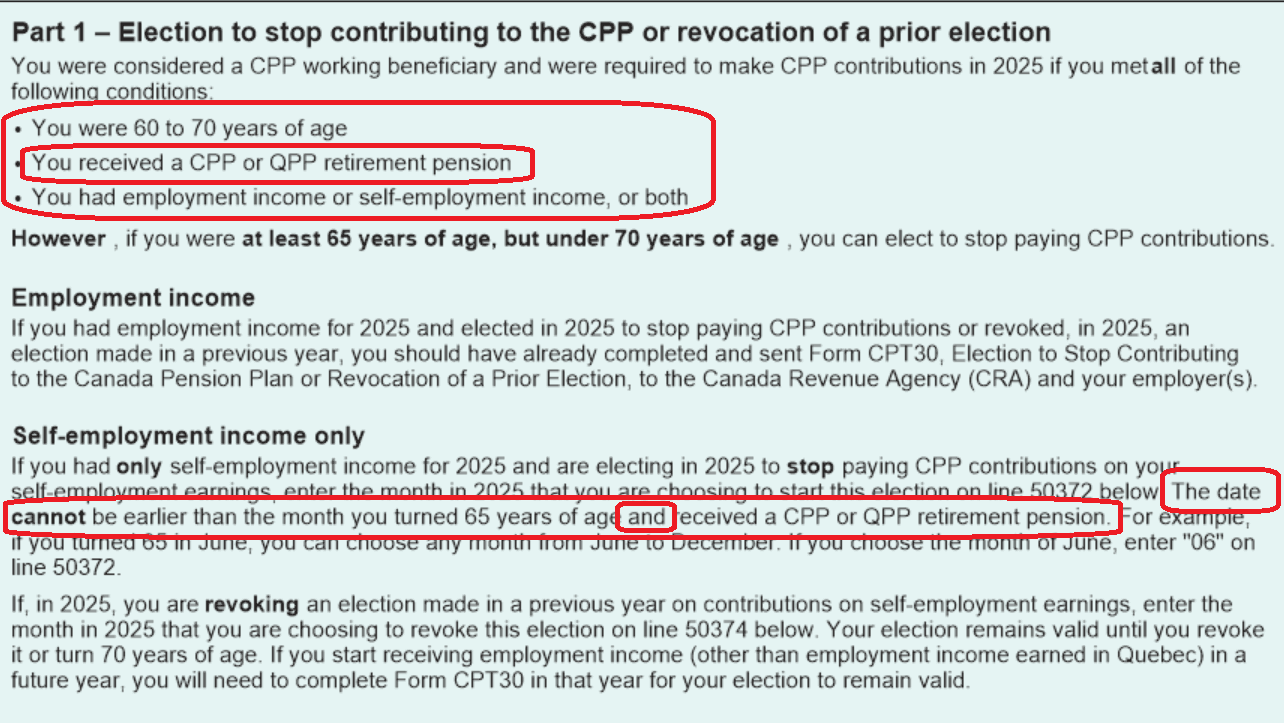
The response is: make sure to read the instructions on the form. Please make sure that your return is eligible to stop paying CPP on self-employed income.
For instance, the rule for stopping CPP contributions when you have both self-employed income and regular T4 employment income is as follows:
- For the T4 income, you must file a CPT30 election with your employer and with CRA during or before the tax year and before the start of stopping the CPP.
- For stopping the self-employment CPP contribution, you must enter the number of months on line 50372 of Schedule 8.
- If you have both T4 and self-employed income, you must stop paying CPP for both or none.
Given the above rules, if you indicate that you did not file a CPT30 for the T4 income, then you cannot stop CPP on the self-employed income.
There are also a few other prerequisites to be able to stop paying into CPP.
The requirement that is most likely overlooked is the fact that you need to be receiving CPP — i.e., you have a T4A(P). Please see the instructions on Schedule 8: