T776 - Statement of Real Estate Rentals
Step 1 - Add T776
To add a rental income, you need to use the Form T776. To add the form T776 use the ‘Forms’ tool or double click on line 12600 in the T1Gen form.
Step 2 - Enter rental income
Enter the rental income:
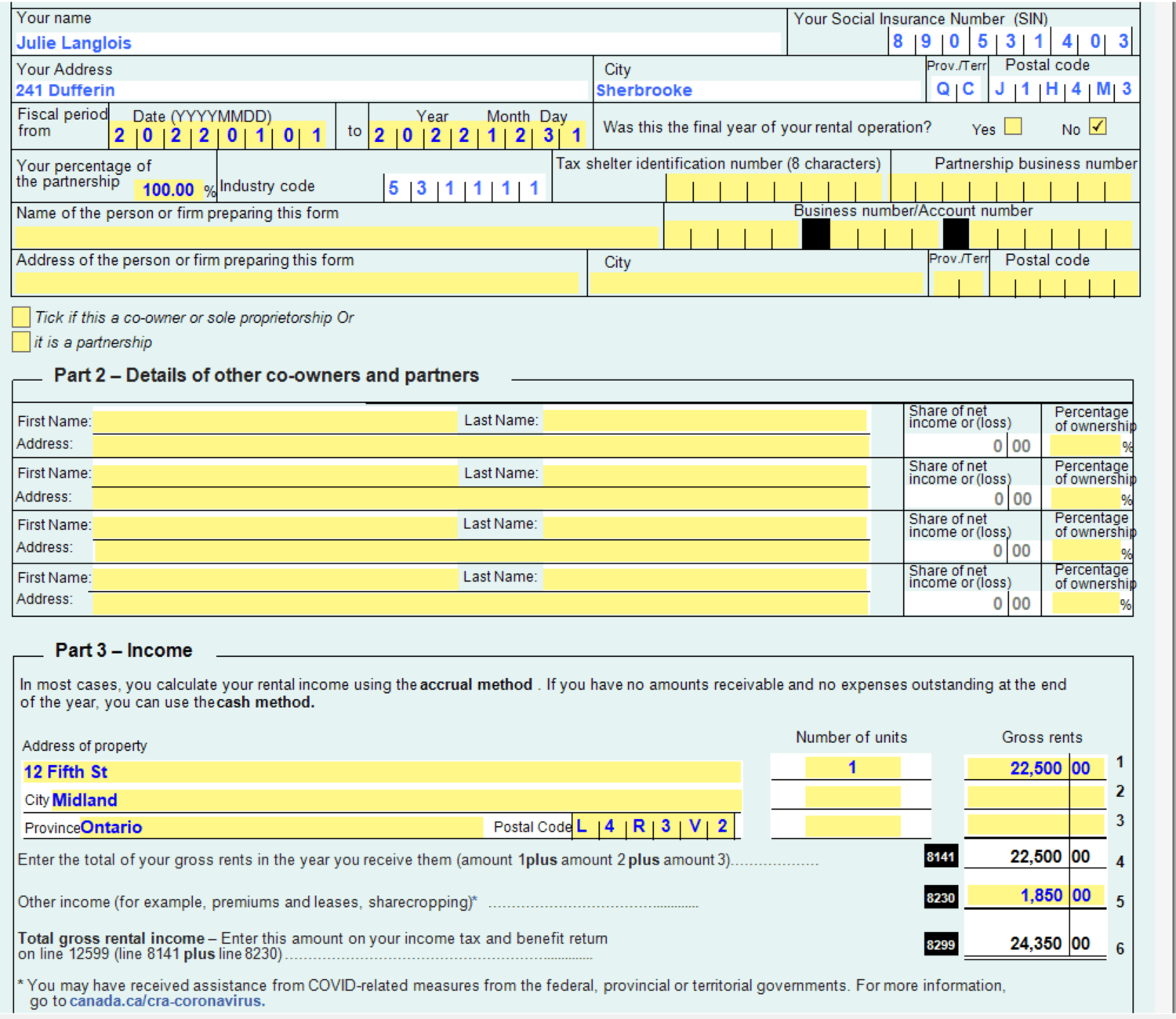
Foreign property address: If the rental property is located outside Canada, the T776 address field does not accept foreign postal codes. The CRA-recommended workaround is to include the foreign postal code at the end of the address line, and enter a valid Canadian postal code (e.g. A0A 0A0) in the postal code field.
Step 3 - Enter rental expenses
If applicable, enter the rental expenses:
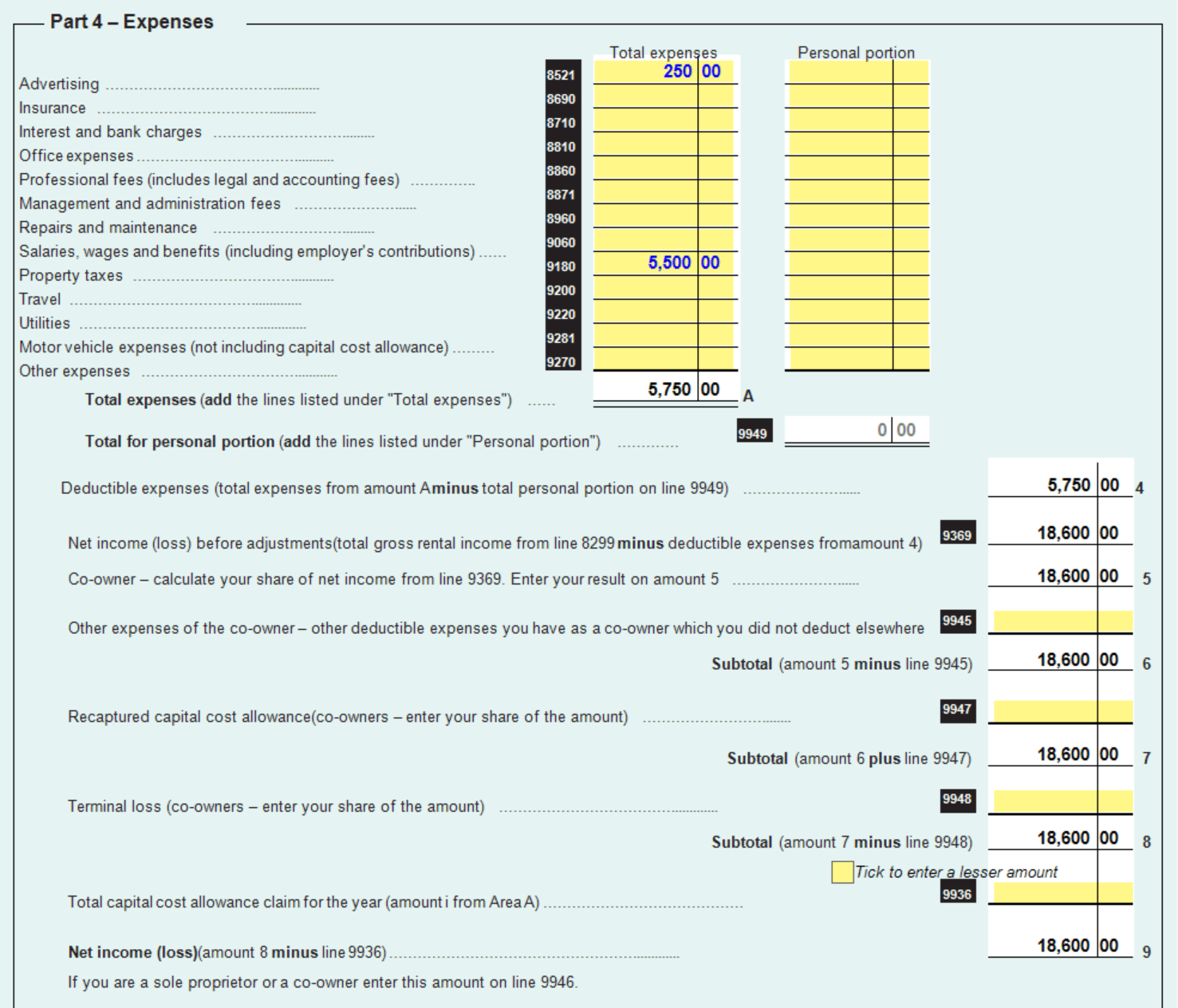
Step 4 - Review line 12600 in T1Gen
Go back to the T1Gen form to validate the result in line 12600:
