Error Message
You may see the following error when filing or reviewing your return:
Box 27 is set to a foreign currency and the exchange rate box is not filled. Affected T slips: T5(1), T5(27)…
This means one or more T5 slips have a foreign currency set in Box 27 but are missing the exchange rate. To navigate to the affected slips, see T-slip Sections.
Understanding Currency in T5
How you fill in the T5 depends on the currency of your amounts:
- If your amounts are in Canadian dollars (CAD): No exchange rate is needed. Enter the values as-is and leave the exchange rate fields empty.
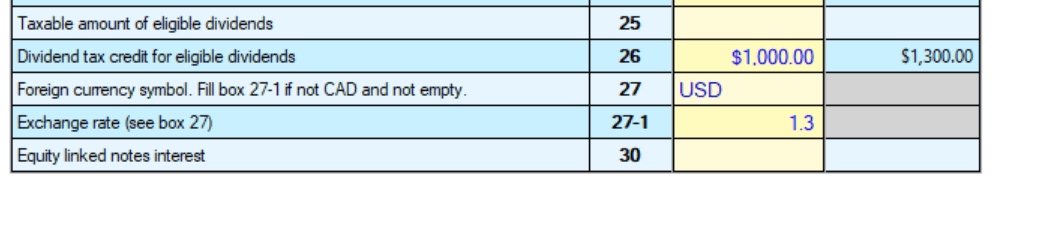
- If your amounts are in a foreign currency (e.g., USD): Enter the Foreign Currency Symbol (Box 27) and the Exchange Rate (Box 27-1). The software will use these to calculate the converted amount in the Total column automatically.
Here is a screenshot that can help:
You can find official annual average exchange rates on the Bank of Canada website .
Batch Editing T5s on Windows
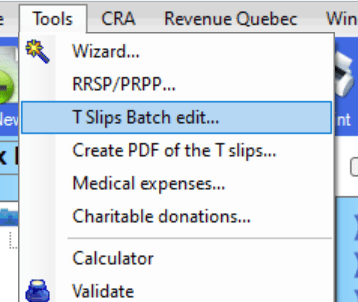
If you are on Windows and have many T5 slips to enter, you can switch to the batch edit view for a more efficient layout: