Error Message
You may see the following error when filing or reviewing your return:
Box 13 is set to a foreign currency and the exchange rate box is not filled. Affected T slips: T5008(1), T5008(13)…
This means one or more T5008 slips have a foreign currency set in Box 13 but are missing the exchange rate. To navigate to the affected slips, see T-slip Sections.
Understanding Currency in T5008
How you fill in the T5008 depends on the currency of your amounts:
- If your amounts are in Canadian dollars (CAD): No exchange rate is needed. Enter the values as-is and leave the exchange rate fields empty.
- If your amounts are in a foreign currency (e.g., USD): You have two options described below.
Option 1: Enter Amounts in Foreign Currency + Exchange Rate
Fill in the Foreign Currency Symbol (Box 13) and the Exchange Rate (Box 13-1). The software will automatically convert the amounts to CAD and update the Total column for you.
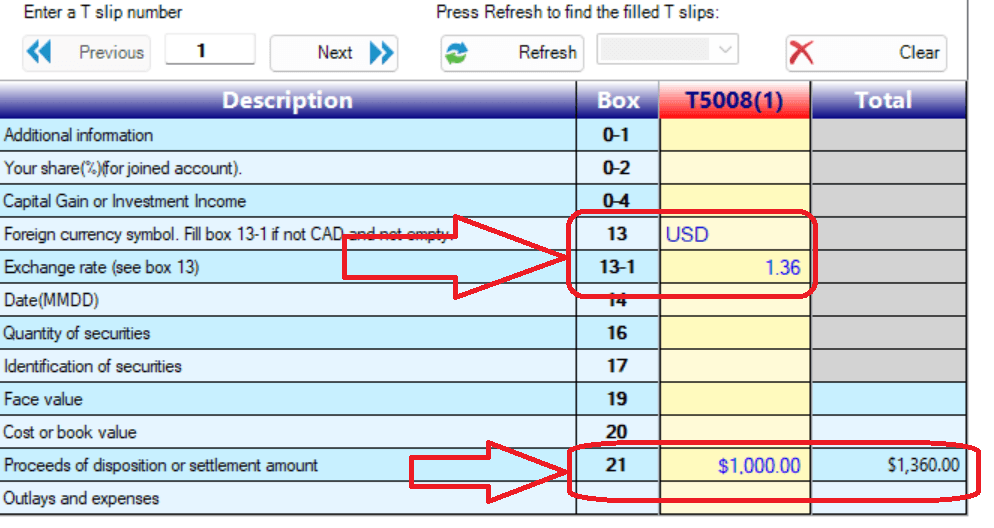
Option 2: Enter Amounts Pre-Converted to CAD
Leave the exchange rate fields empty and enter the amounts already converted to CAD. The software uses the Total column as the final CAD value, so make sure it contains the correct converted amount.
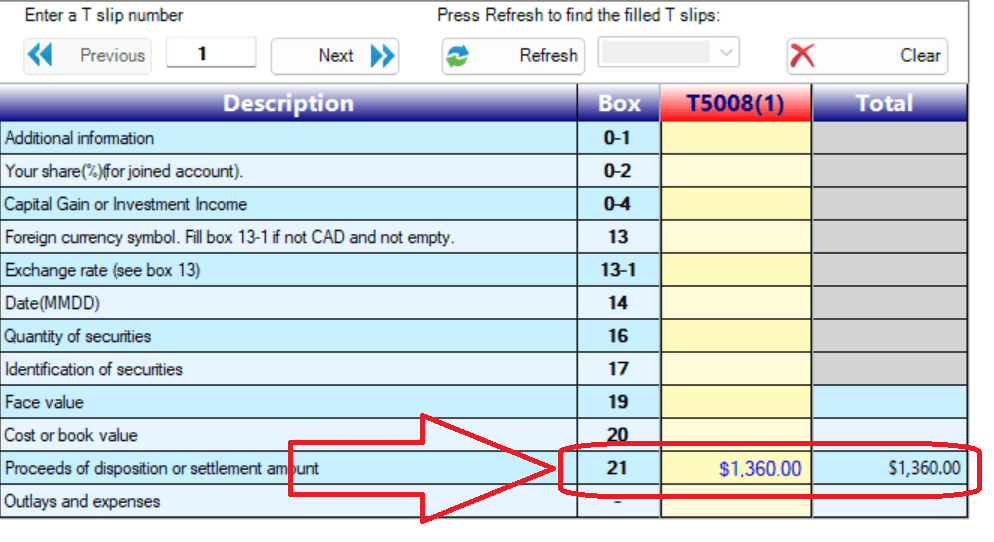
Key rule: The software always uses the Total column in CAD for tax calculations. Regardless of which option you choose, verify that the Total column shows the correct CAD amount.
You can find official annual average exchange rates on the Bank of Canada website .
Batch Editing T5008s on Windows
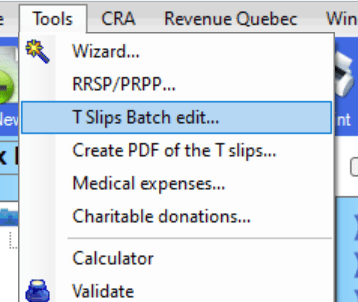
If you are on Windows and have many T5008 slips to enter, you can switch to the batch edit view for a more efficient layout: